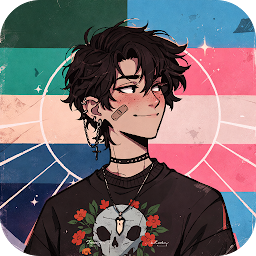
What is OC Maker: Avatar Maker V2?
OC Maker: Avatar Maker V2 is a casual game for Android from DigiRush Tech, available on Google Play. More than 500K players have installed it so far.
In the developer's words: “Create unique avatars & PFPs with OC Maker!”
Unleash Unlimited Creativity with OC Maker: Avatar Maker V2! The ultimate upgrade is here – Version 2 brings bigger, better, and bolder tools to design your dream avatar, perfect profile picture (PFP), or original character (OC) in just a few taps! Whether you love anime-style characters, epic gaming avatars, or eye-catching social media PFPs, OC Maker V2 takes your creativity to the next level! Key Features in V2: Ultra-Deep Customization: Thousands of brand-new hairstyles, eyes, outfits, accessories, vibrant colors, layers, poses, and stunning special effects. Perfect PFPs for Every Platform: Create professional, high-resolution profile pictures optimized for Discord, TikTok, Instagram, Twitter/X, Roblox, and more. Smarter & Smoother Interface: Completely redesigned UI with intuitive controls, undo/redo, layer management, and smart suggestions to speed up your workflow. Easy Save & Share: Export transparent PNGs in ultra-high quality and share directly with friends or to your favorite apps.
About this game
- Category
- Casual
- Platform
- Android (Google Play)
- Developer
- DigiRush Tech
- Installs
- 500K+
- Price
- Free
- Size
- 46 MB
- Updated
- Jun 3, 2026
- Released
- Jan 10, 2026
Editor’s Review
A decent casual game that most players rate positively.
The game was last updated on Jun 3, 2026. It is free to download.
OC Maker: Avatar Maker V2 fits players who enjoy casual games. The safest way to get it is the official Google Play listing linked on this page.
- Unleash Unlimited Creativity with OC Maker: Avatar Maker V2!
- Ultra-Deep Customization: Thousands of brand-new hairstyles, eyes, outfits, accessories, vibrant colors, layers, poses, and stunning special effects
- Easy Save & Share: Export transparent PNGs in ultra-high quality and share directly with friends or to your favorite apps
- Constant Fresh Content: Weekly updates with new packs, seasonal themes, trending items, and exclusive V2-only features!
Before you install
- Publisher: DigiRush Tech
- Price: Free
- Download size: 46 MB
- Install only from the official Google Play page
This game is available on Google Play, published by DigiRush Tech. We don't host it — you will install it from the official store.
How to install OC Maker: Avatar Maker V2
- Tap the “Get it on Google Play” button on this page.
- Confirm the message - the official Google Play page of OC Maker: Avatar Maker V2 opens in a new tab.
- Check the developer name (DigiRush Tech) and tap Install.
- When the download finishes, tap Open and follow the in-game tutorial.
Tips & strategy
- Play a few levels at a time - casual games are made for short sessions.
- Collect daily rewards to progress faster for free.
- Save boosters for levels where you are really stuck.
- Turn off notifications you do not need in settings.


